Hiking Safety App for Solo Hikers
Tell someone your route—then make sure the alarm actually gets raised. If you don't check in after your hike, your contact is alerted from our servers. No signal on the trail required.
Free forever • No credit card • iOS & Android
The Problem
Sound familiar? You're not alone.
The golden rule is to tell someone your route—but a text before you leave cannot raise the alarm by itself
Trailheads, canyons, and forest cover kill your signal exactly where you would need to call for help
SOS apps assume you are conscious, holding your phone, and standing somewhere with coverage
Your family cannot tell the difference between a trail that ran long and a hike that went wrong
How I'm Alive Solves This
A simple solution that actually works.
Set a check-in for after your planned return—if it does not arrive, on Protect Me your contact is alerted automatically
The alert fires from our servers when your check-in does not arrive—a dead battery or a no-signal valley cannot stop it
Trip timer arriving July 2026: set your expected return, and if you go quiet past it, your contact gets one alert with your last-known location—not live tracking
No tracking while you hike—today's check-ins share no location at all, and the trip timer will share only a last-known point if you miss
How It Works
Three simple steps.
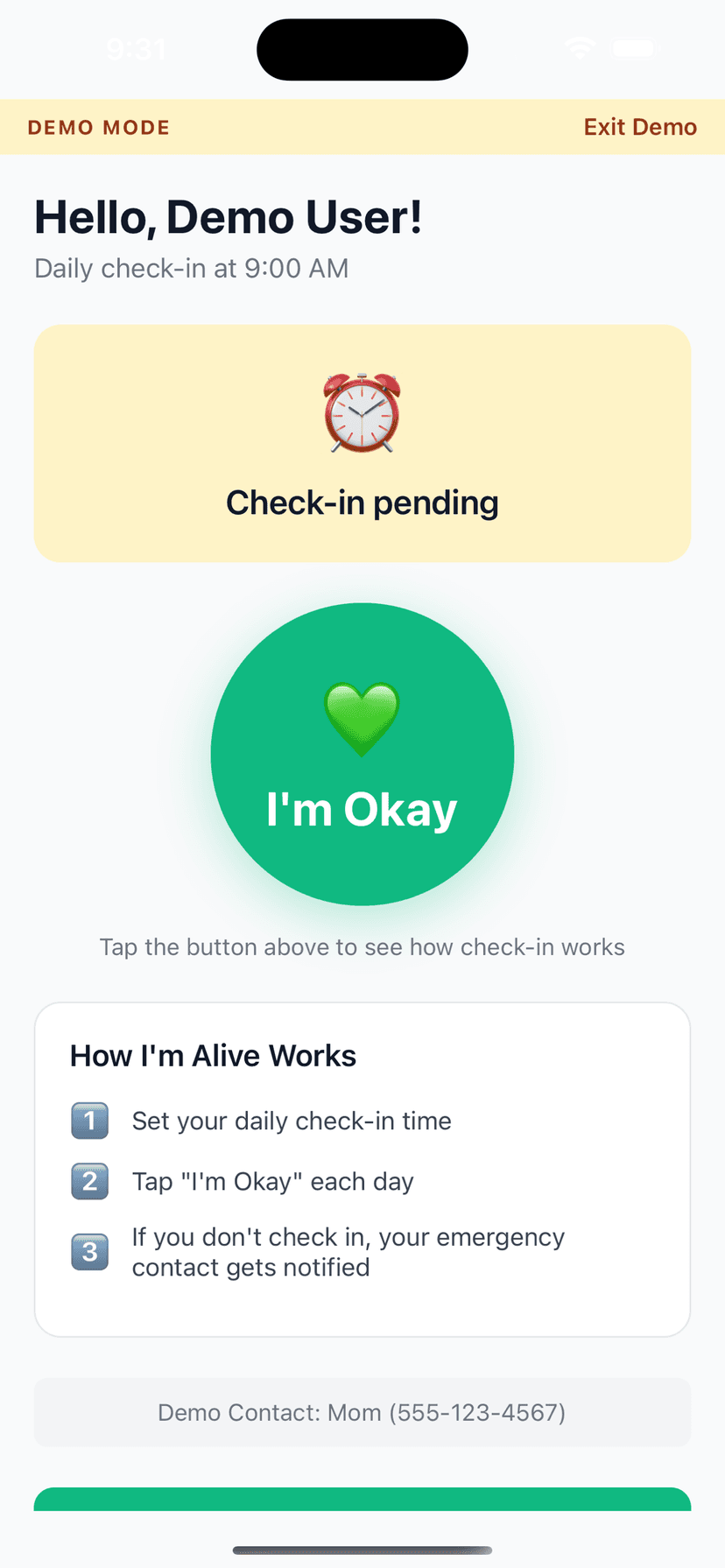
Set Your Time
Choose when to check in each day
Tap I'm Okay
One tap confirms you're safe
Auto-Alert
Miss a check-in? Contact is notified
Features
One-Tap Check-In
Large, easy button - done in seconds
Customizable Schedule
Set your perfect check-in time
Smart Alerts (Protect Me)
Escalating notifications to your contacts if you miss a check-in
Check-In Notes
Add context like 'Going hiking today'
History Tracking
See all your past check-ins
Free to Start
Daily self check-in and reminders are always free; add Protect Me for contact alerting
Frequently Asked Questions
How can an alert go out if I have no signal on the trail?
Because the alert does not come from your phone—it comes from our servers. The system watches for your check-in, and when it does not arrive by the deadline, we notify your contact by push and email from our side. Your phone being dead, broken, or in a canyon with zero bars cannot stop it. That is the difference between a dead-man timer and an SOS button: an SOS needs you conscious and connected at the worst moment of your day; a missed check-in needs nothing from you at all.
Is this a replacement for a Garmin inReach?
No, and we will not pretend otherwise. For true off-grid trips—multi-day backcountry, remote ranges, anywhere you will be out of coverage for days—a satellite communicator like the Garmin inReach is the right tool. The device runs roughly $300-500 plus a $39.99 activation fee and plans from $7.99 to $49.99 a month (Garmin's official pricing, verified June 2026), and it connects to a staffed 24/7 response center. We are the everyday-trail layer: day hikes and popular routes where $400 of satellite hardware is overkill, at $0 to a one-time $4.99.
How does the tell-someone-your-route rule work with this app?
Before you leave, tell your contact the trail, where you parked, and your expected return—a two-line text is enough. Then set your check-in for an hour or so after you plan to be back. Now the rule has teeth: if you return, one tap stands your contact down; if you do not, they are alerted and already hold everything needed to point rescuers at the right trail. Our full guide at imalive.co/safety-guide/hiking-alone-safely walks through exactly what to include in that message.
How risky is hiking alone, really?
Less risky than the headlines suggest, and more risky than doing nothing about it. Most solo hiking incidents are ordinary—a rolled ankle, a wrong turn, an underestimated trail—and they turn serious mainly when nobody knows to look. We have compiled the numbers at imalive.co/data/hiking-fatality-statistics, with a companion look at where incidents cluster at imalive.co/data/most-dangerous-hiking-trails. The pattern is consistent: outcomes improve dramatically when someone knows your route and notices quickly that you are overdue.
How long should I tell my contact the hike will take?
Longer than you think. Underestimating duration is the most common way solo hikers set a check-in they cannot meet. A rough rule: allow an hour for every three miles, plus an hour for every 2,000 feet of climb, then add a buffer for breaks and photos. Our hike duration calculator at imalive.co/calculator/hike-duration-calculator does the math from distance and elevation gain. Set your check-in for after that estimate, with margin, so a slow final mile never causes a false alarm.
Don't other apps already have a hiking timer?
A few do. bSafe has a genuine 'Follow Me' dead-man timer with SOS features—free at the basic level, with paid tiers reportedly around $4.99 a month or $49.99 a year (bSafe publishes no plain price table, so treat those figures as approximate as of June 2026)—but its alerts depend entirely on your guardians noticing and acting, with no professional backstop. Kitestring pioneered the SMS dead-man timer years ago but appears defunct; its site has been unresponsive. Our lane is the simple one: a proactive timer, alerts that work globally by push and email, and an entry price under $5.
When does the trip timer arrive, and what exactly will it do?
It is arriving July 2026. You will set an expected return time for a specific hike; if you go quiet past it, your contact receives a single alert that includes your last-known location. It is not live tracking—nobody follows your dot along the trail, and nothing is shared at all if you check in on time. On the $4.99 one-time plan it will cover two trips a month of up to 24 hours each. Until then, the daily check-in works today: set it for the evening after your hike, and on Protect Me a miss alerts your contact.
Explore More Guides
Popular Use Cases
Compare Solutions
Browse Categories
Get Started in 2 Minutes
Download I'm Alive today and give yourself and your loved ones peace of mind. It's completely free.
Free forever • No credit card required • iOS & Android