How I'm Alive Works
Two safety layers working together: active check-ins when you remember, passive signals when you don't.
The Daily Check-In
Every day at your chosen time, you get a gentle reminder. Open the app, tap the big green "I'm Okay" button, and you're done. By default your emergency contact only hears from us if you go silent. On a paid plan you can also send them a daily "all good" note: "Mum checked in at 9:03 AM."
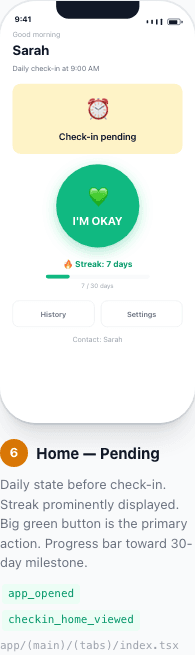
Before checking in
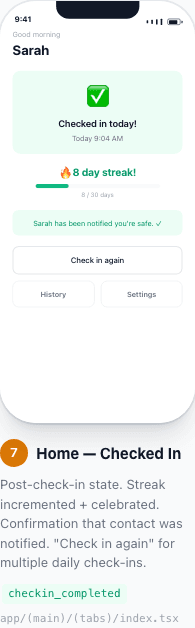
After tapping "I'm Okay"
How it works step by step:
- You set your preferred check-in time (e.g., 8:00 AM), or more than one a day on a paid plan
- A reminder notification arrives at that time each day
- You tap "I'm Okay" — takes 2 seconds
- Your emergency contact hears from us only if you go silent (or daily, if you turn on the "all good" note)
- Optionally add a note: "Going hiking today!"
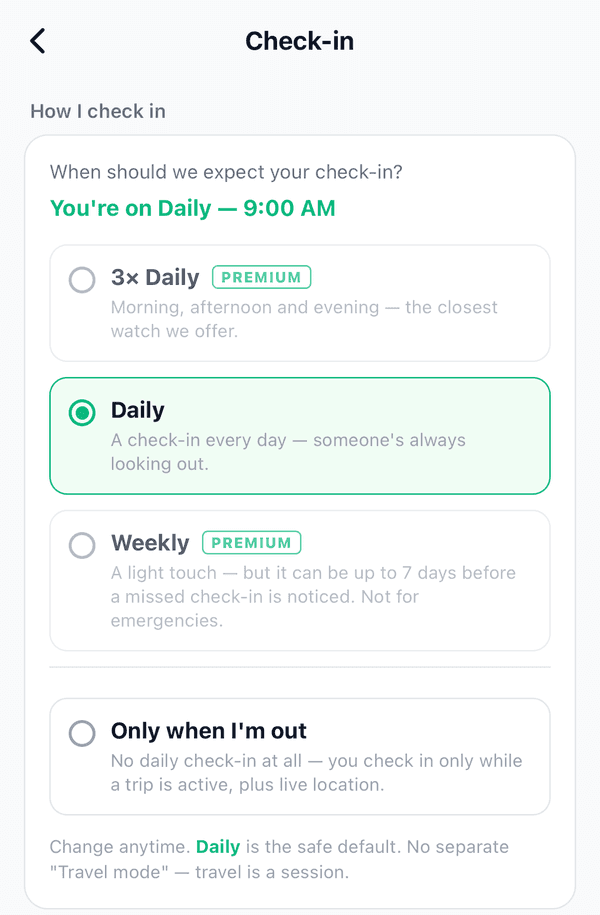
Choose how often you check in
In the app, go to Settings → Check-in. Daily is the default. Options marked Premium need a paid plan. Weekly is a light touch: it can take up to 7 days before a missed check-in is noticed, so it is not for emergencies. Only when I'm out means no daily check-in: you check in only while a trip is active.
What If You Miss? The 4-Stage Alert System
If you miss your check-in, the app doesn't immediately panic. It follows a thoughtful escalation process — gentle reminders first, then alerts only when genuinely needed.
At your check-in time
Gentle push reminder to you
+30 minutes
Second reminder: "Just checking — are you okay?"
+2 hours
Alert sent to you AND your emergency contact
+6 hours
URGENT alert to your contact: "Please try to reach them"
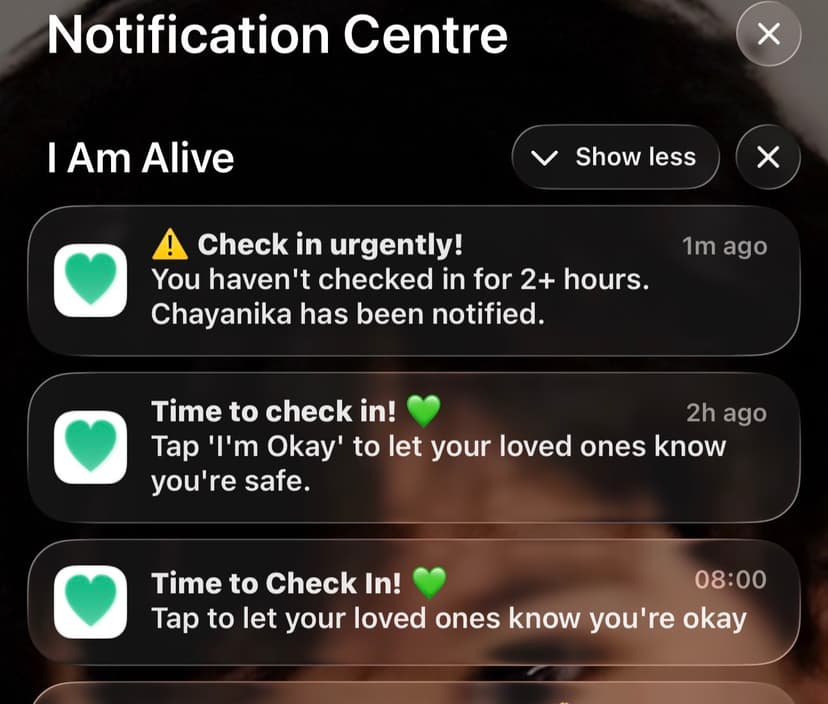
Example: escalating notifications on a contact's phone
If you check in at any point, the escalation stops immediately, and if your contact had already been alerted they get an "All Clear" message. False alarms are minimised because you get multiple reminders before anyone is alerted.
Passive Monitoring: Even If You Forget
This is what makes I'm Alive different. Most check-in apps go silent when you forget. We don't. Even if you miss your check-in, the app looks for signs you're still active — phone charging, apps being opened, device movement.
"Check-ins when they remember. Signals when they don't."
Your guardian can see "Last activity: 12 minutes ago" on their dashboard — even if you forgot to tap the button.
Privacy first
- No GPS — these signals never use your location
- No call or message monitoring
- No browsing history
- Only: "phone is being used" or "phone is idle"
- You can turn this off in Settings
For Guardians: What You See
If someone has added you as their emergency contact and you have a Protect Me subscription, you can see their status on the Guardian Dashboard.
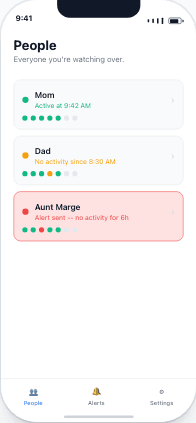
Everyone you monitor in one view
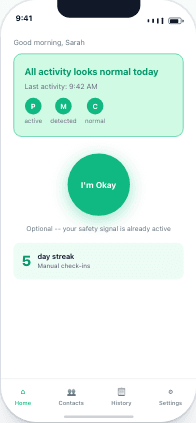
Activity signals — even without a check-in
Important: How the Dashboard Works
The Guardian Dashboard shows people who have added you as their emergency contact. You can't add people to monitor — they must add you. This protects everyone's privacy.
Get Started in 2 Minutes
Download I'm Alive today and give yourself and your loved ones peace of mind. It's completely free.
Free forever • No credit card required • iOS & Android