Daily Check-in App for Alzheimer's Patients
Alzheimer's steals memories, not dignity. A simple daily check-in helps caregivers stay informed while patients maintain independence in early stages.
Free forever • No credit card • iOS & Android
The Problem
Sound familiar? You're not alone.
Patients in early stages live alone but memory lapses create safety risks
Caregivers can't monitor around the clock and burn out from constant worry
Complex technology is unusable as cognitive function declines
Family members struggle to gauge day-to-day cognitive function from a distance
How I'm Alive Solves This
A simple solution that actually works.
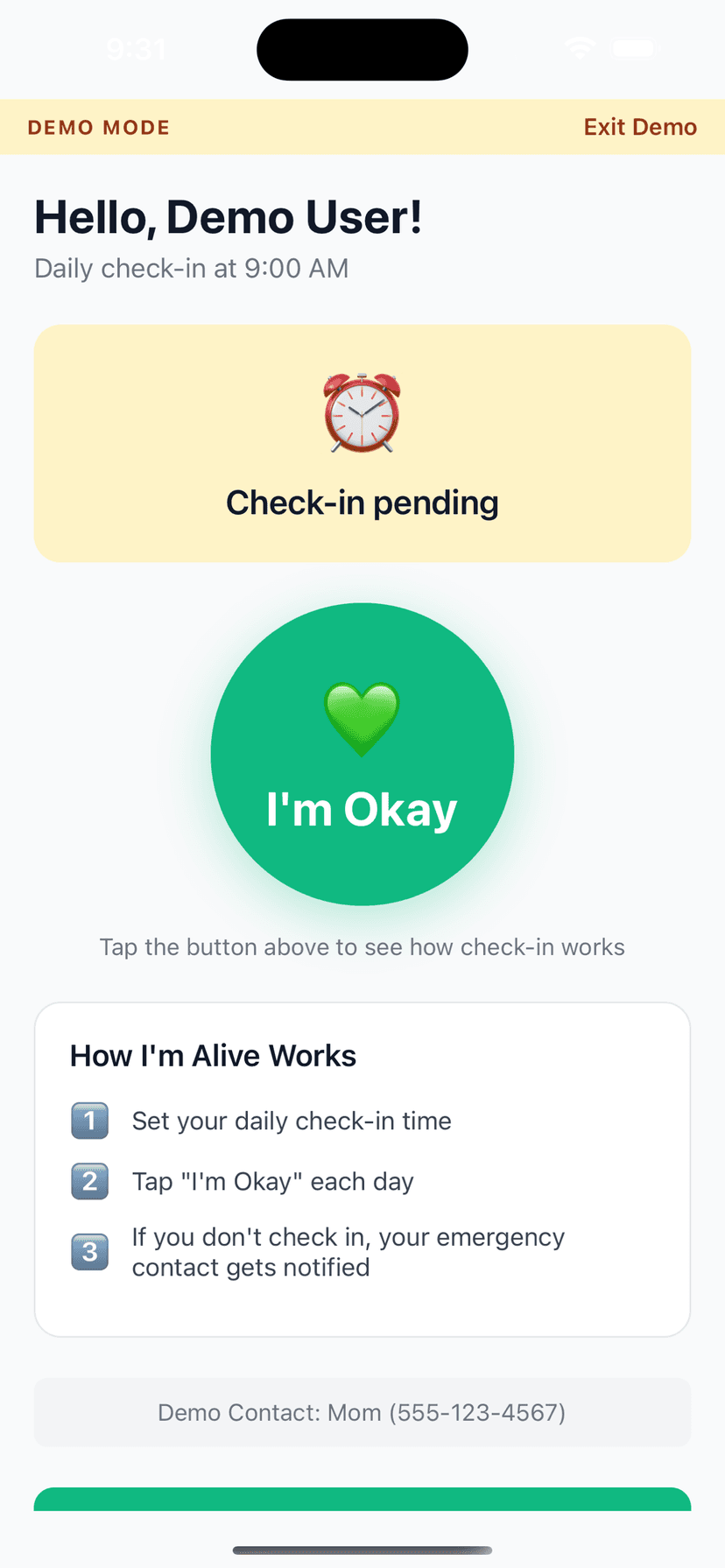
Ultra-simple one-button interface requires no memory of how to navigate
On Protect Me, automatic alerts notify caregivers immediately when a check-in is missed
Establishes a daily routine anchor that supports cognitive function
Check-in patterns over time provide caregivers with objective data on daily functioning
How It Works
Three simple steps.
Set Your Time
Choose when to check in each day
Tap I'm Okay
One tap confirms you're safe
Auto-Alert
Miss a check-in? Contact is notified
Features
One-Tap Check-In
Large, easy button - done in seconds
Customizable Schedule
Set your perfect check-in time
Smart Alerts (Protect Me)
Escalating notifications to your contacts if you miss a check-in
Check-In Notes
Add context like 'Going hiking today'
History Tracking
See all your past check-ins
Free to Start
Daily self check-in and reminders are always free; add Protect Me for contact alerting
Frequently Asked Questions
Can someone with Alzheimer's really use this app?
In early to moderate stages, yes. The single large button requires no navigation or memory. Caregivers can set it up once and the daily reminder guides the patient.
What if my loved one forgets what the app is for?
The reminder notification says 'Tap to let your family know you're okay.' It's self-explanatory each time. If they consistently can't use it, that's important information for caregivers too.
How does this help with Alzheimer's care planning?
Patterns in missed check-ins can signal disease progression. If check-ins become irregular, it may be time to adjust the care plan with their doctor.
Should I use this alongside other Alzheimer's monitoring?
Yes. This complements medical monitoring and GPS trackers. It adds a simple human touchpoint—confirming awareness and basic daily functioning.
At what stage of Alzheimer's does this app stop being useful?
When the patient can no longer respond to a notification and tap a single button, even with the reminder text, the app has reached its limit. At that point, the transition to full-time supervised care is likely needed. The inability to check in is itself a meaningful data point for care decisions.
Can a caregiver check in on behalf of an Alzheimer's patient?
The check-in is designed to be tapped by the person themselves, because their ability to respond is part of the signal you are watching. That said, in early stages a caregiver can set everything up, place the reminder at a consistent time, and coach the patient through the single tap. If you find you are checking in for them most days, that is meaningful information: it suggests the disease has progressed to a point where the daily tap is no longer a reliable indicator, and it may be time to revisit the care plan with their doctor.
Will a daily check-in confuse someone with memory loss?
For most people in early to moderate stages, no. There is a single large button and one reminder that says, in plain words, to tap it to let family know they are okay. There are no menus to remember, no passwords to enter, and nothing to configure day to day. Familiarity helps, so setting the reminder at the same time each morning lets the tap become part of a routine. If the routine stops working, the missed check-ins themselves become a gentle, early signal for caregivers.
Explore More Guides
Popular Use Cases
Compare Solutions
Browse Categories
Get Started in 2 Minutes
Download I'm Alive today and give yourself and your loved ones peace of mind. It's completely free.
Free forever • No credit card required • iOS & Android