A check-in app for people who live alone
Living on your own is freedom — but there's no one there to notice if something goes wrong. One tap a day quietly tells the people you trust that you're okay, without a single phone call.
Home-screen check-in widget — one glance, one tap
Free forever • No credit card • iOS & Android
The Problem
Sound familiar? You're not alone.
You live independently, so if you fell, fainted, or fell ill at home, no one would notice for hours — or days — until you failed to turn up somewhere
You don't want a pendant around your neck or a monthly monitoring subscription just to feel safe in your own place
Texting or calling family every single day to prove you're fine feels like a chore for both of you — and it's easy to forget
You value your privacy and don't want an app tracking your whereabouts around the clock just so someone knows you got through the day
The people who care about you live in another city or another country, and 'no news' leaves them quietly worrying whether you're really okay
How I'm Alive Solves This
A simple solution that actually works.
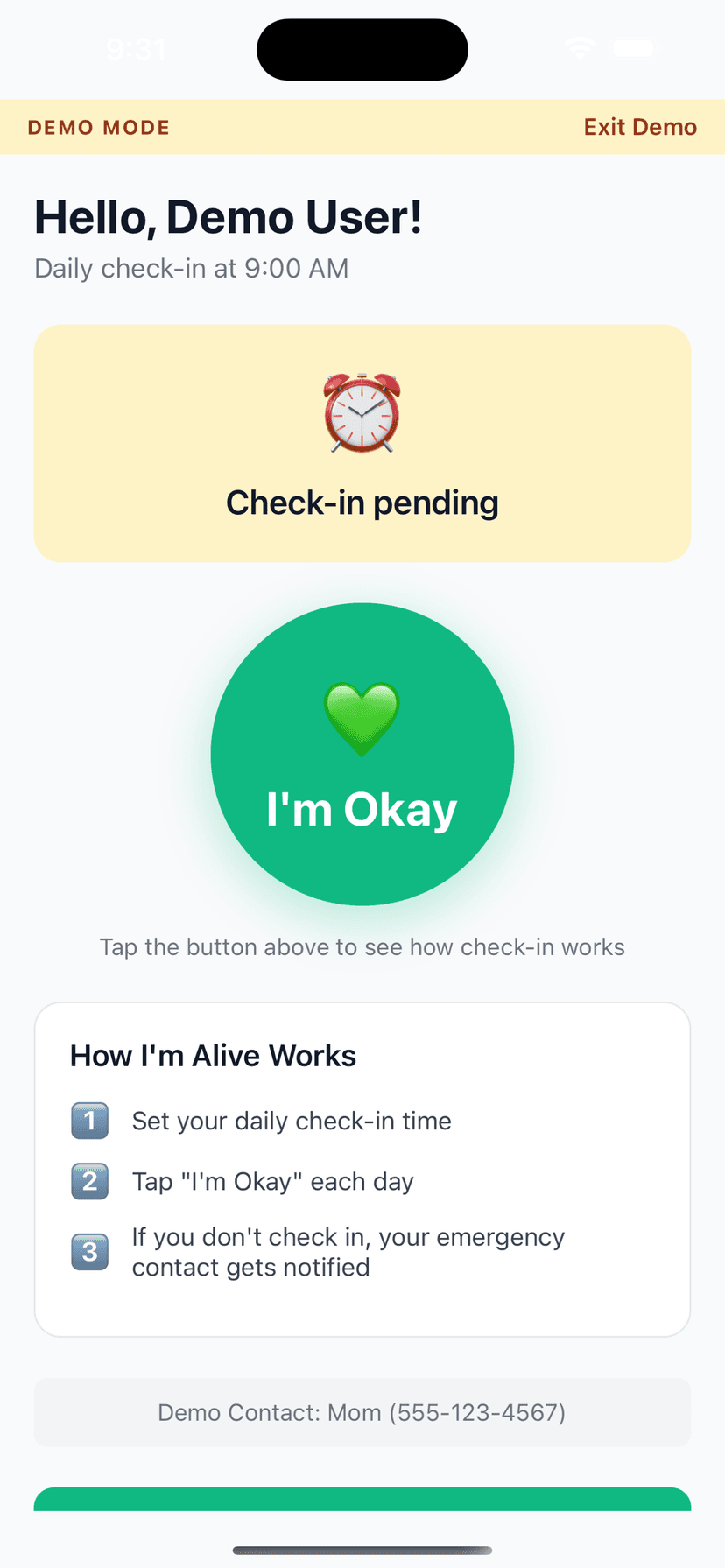
One-tap daily check-in confirms you're okay in about five seconds — from the app or straight from a home-screen widget you can reach without opening a menu
The widget tap is a real, server-confirmed check-in, not just an app shortcut — the tile turns green only after our servers record it, and shows 'Try again' if you're offline
Free forever on any iPhone or Android — the daily check-in costs nothing, with no hardware, no pendant, and no monthly bill
If you go quiet, the people you trust are alerted — one alert a month on the free Check In plan, or every time you miss with push, email, and SMS on the paid Stay Protected plan ($29.99/yr) — so someone always knows to look in on you
Choose the rhythm that fits your life — once a day, up to two windows a day on Stay Protected or three a day on Complete Safety Net, or a lighter once-a-week check-in — and add up to 10 contacts when more than one person wants to know you're okay
How It Works
Three simple steps.
Set Your Time
Choose when to check in each day
Tap I'm Okay
One tap confirms you're safe
Auto-Alert
Miss a check-in? Contact is notified
Features
One-Tap Check-In
Large, easy button - done in seconds
Customizable Schedule
Set your perfect check-in time
Smart Alerts (Protect Me)
Escalating notifications to your contacts if you miss a check-in
Check-In Notes
Add context like 'Going hiking today'
History Tracking
See all your past check-ins
Free to Start
Daily self check-in and reminders are always free; add Protect Me for contact alerting
Frequently Asked Questions
I live alone — how does a check-in app actually help?
It works like a simple safety net. You tap once a day to confirm you're okay. If you don't check in by your chosen time, the app reminds you first, then — after a grace period — notifies the contact you've chosen so they can reach out. If you're ever unable to check in, the absence of that one tap is exactly what tells someone to look in on you.
Is it really free?
Yes. The daily check-in is free forever on any iPhone or Android — no hardware and no subscription. On the free Check In plan your contact is still alerted if you go quiet, up to once a month by push and email. Unlimited alerts every time you miss, plus SMS, come with a paid plan (Stay Protected, $29.99/yr).
Do I have to open the app every day?
No. You can check in straight from a home-screen widget. On iPhone (iOS 17 and later) and on Android, tapping the widget records your check-in right there — the tile reads 'Checking…', then 'Checked in' once our servers confirm it. On older iPhones the tap simply opens the app so you can finish the check-in.
Does it track my location?
A routine daily check-in never shares where you are — your contacts only hear from us if you go silent, never on a successful check-in, so there's no around-the-clock tracking just to confirm you got through the day. Opt-in features like live location and Follow Me exist for active situations such as a journey or an SOS, but they're yours to switch on and are never on by default.
How is this different from a medical alert pendant?
A pendant waits for you to press a button, charges a monthly fee, and only helps if you're conscious and wearing it. I'm Alive flips that around: a missed check-in is what raises the alarm, so it can help even in the situations where you couldn't reach for a button. It runs on the phone you already carry, the daily check-in is free, and it is not a medical device.
Can I check in more than once a day?
Yes. The free Check In plan and Lifetime include one check-in a day. Stay Protected adds a second daily window, and three windows a day (3× Daily) comes with Complete Safety Net ($39.99/yr). A lighter once-a-week cadence is available on every plan — pick whatever fits how you live.
What happens if I miss a check-in?
You get reminders first, then a grace period so a busy day doesn't set off a false alarm. If you still haven't checked in, your chosen emergency contact is notified. On the free plan that alert is capped at once a month; Lifetime (Stay Connected & Travel Safely, a $4.99 one-time plan) raises it to five times a month; and on Stay Protected or Complete Safety Net your contact is alerted every time you miss, with SMS added alongside push and email.
Who gets alerted, and does it call 911?
Only the emergency contact you choose is notified — never emergency services automatically. The free plan and Lifetime support one contact; Stay Protected and Complete Safety Net let you add up to 10. Your people decide how to respond, whether that's calling you, coming over, or ringing local emergency services themselves.
Do I need to be good with technology to use it?
No. Day to day it's a single large button — or one tap on the widget — to say you're okay. Setup takes a couple of minutes: install the app, add one person as your emergency contact, and pick a check-in time. After that, the only thing you do is tap once a day.
Explore More Guides
Popular Use Cases
Compare Solutions
Browse Categories
Get Started in 2 Minutes
Download I'm Alive today and give yourself and your loved ones peace of mind. It's completely free.
Free forever • No credit card required • iOS & Android