A check-in app for working alone
When your job keeps you on your own — a client site, a night shift, a rural call-out, the road between jobs — a working-alone check-in app means one tap tells someone you're safe. No colleague has to notice you've gone quiet, and no one has to call every day to be sure you're okay.
Check in, or the people you chose are told
Free forever • No credit card • iOS & Android
The Problem
Sound familiar? You're not alone.
Your work regularly leaves you somewhere alone: a client site, an overnight shift, a remote call-out, or the drive between jobs
If you were hurt or fell, no colleague or supervisor would notice for hours
A fixed daily obligation doesn't fit — some days you're out working solo, other days you're not
Employer lone-worker devices and monitoring services are expensive and clunky for solo operators, freelancers, and small teams
As a freelancer, sole trader, or gig worker, no employer is going to issue you a safety device — keeping a check-in habit is on you
You want family reassured that you finished the job safe, without handing over your live location all day
How I'm Alive Solves This
A simple solution that actually works.
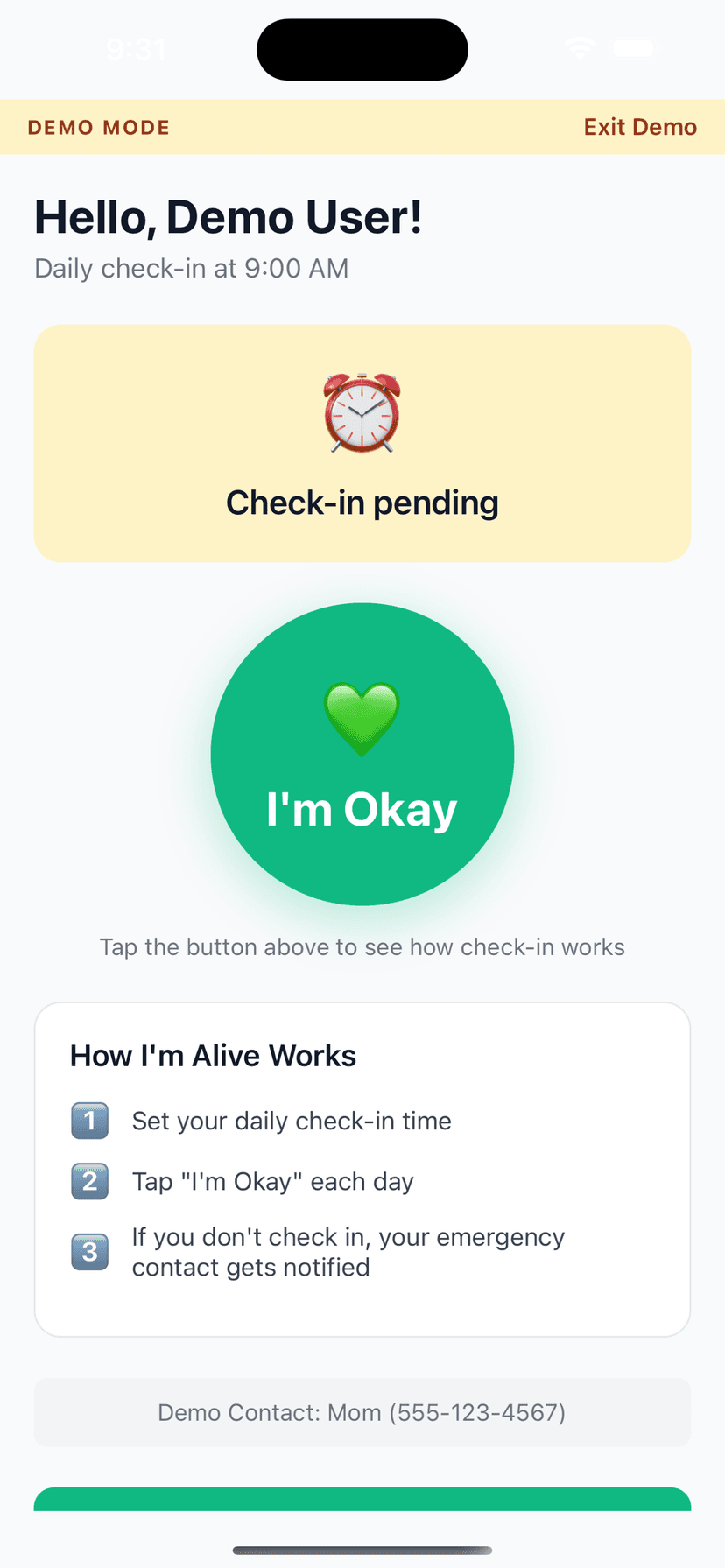
One-tap check-in confirms you finished the day safe — free forever on any iPhone or Android, no hardware
Prefer no daily obligation? 'Only when I'm out' is a separate mode that watches you only while a trip you've started is active, and never nags you for a missed daily check-in on the days you're off
Pick the routine that fits your work: once a day, three check-in windows a day (a paid option), or a lighter weekly check-in
Miss a check-in and your chosen contact is alerted — once a month on the free Check In plan, or every time you miss with full push, email, and SMS escalation on the paid Stay Protected and Complete Safety Net plans — so someone knows to come looking
Check in straight from a home-screen widget: on iPhone (iOS 17 and later) and on Android, one tap records a real, server-confirmed check-in without even opening the app
The check-in itself carries no location — tapping the button sends only that you're okay, so you can reassure family without broadcasting where every job takes you
How It Works
Three simple steps.
Set Your Time
Choose when to check in each day
Tap I'm Okay
One tap confirms you're safe
Auto-Alert
Miss a check-in? Contact is notified
Features
One-Tap Check-In
Large, easy button - done in seconds
Customizable Schedule
Set your perfect check-in time
Smart Alerts (Protect Me)
Escalating notifications to your contacts if you miss a check-in
Check-In Notes
Add context like 'Going hiking today'
History Tracking
See all your past check-ins
Free to Start
Daily self check-in and reminders are always free; add Protect Me for contact alerting
Frequently Asked Questions
What is the best check-in app for working alone?
The best one is the one you'll actually use on a busy day. I'm Alive is a one-tap check-in: tap once and your contact knows you're okay, miss it and they're alerted. The daily check-in is free, it needs no special hardware or panic button, and it works on any iPhone or Android. If your role is formally classified as lone work — with an employer who has a legal duty to protect you — see our lone worker check-in app page, which covers the workplace side and how enterprise monitoring differs.
Which jobs is a working-alone check-in app for?
Anyone whose work regularly leaves them without a colleague nearby: night-shift and early-morning staff, security officers and cleaners in empty buildings, field engineers and technicians at remote sites, home-care and community visitors, real-estate agents doing solo viewings, farmers and agricultural workers on distant land, and couriers, drivers, and gig workers on the road. It also fits freelancers and remote workers who spend the day at home with no one to notice an absence. See our pages for night shift workers, remote workers, and freelancers for setups tuned to each.
I don't want to check in every single day. Is there an option for that?
Yes. 'Only when I'm out' is a separate mode, not a slower daily schedule. In this mode there is no daily check-in at all — you're monitored only while a trip you start is active, and you are never flagged for a missed daily check-in on the days you're not working. Turn it on for the times you're actually out on a solo job, and leave it off otherwise.
How often can I check in?
You choose the routine in Settings: once a day, up to three check-in windows a day, or a lighter weekly check-in. The single Daily routine is on every plan. Weekly and extra daily windows are paid — Stay Protected adds a second daily window and the Weekly routine, and three windows a day (3× Daily) comes with Complete Safety Net. Weekly is deliberately light monitoring: your next check-in is simply due seven days after your last one, and it is not the same close, multi-stage escalation as a daily routine.
Can I set my check-in for the end of my shift or after I get home?
Yes — pick whatever time fits your work, not a nine-to-five default. Many lone workers set an end-of-shift or 'made it home' check-in; if you finish at 4am, set it for when you'd normally be back and settled. When your shift pattern changes, change the time in Settings. Reminders follow the time you choose, and they're timezone-aware if the job takes you across borders.
Can I check in from my phone's home screen without opening the app?
Yes. Add the check-in widget and one tap records a real, server-confirmed check-in — the tile only turns green once our servers have logged it. This headless one-tap works on iPhone (iOS 17 and later) and on Android. On older iPhones or before you've signed in, the tap simply opens the app to finish the check-in, and if you're offline the tile shows 'Try again' and your reminder still fires. See our widget check-in page for the details.
Is it free?
The daily check-in is free forever on the Check In plan ($0), with one emergency contact. If you want your contact alerted every time you miss — with full push, email, and SMS escalation — that's on the paid Stay Protected ($29.99/yr) and Complete Safety Net ($39.99/yr) plans; the free plan includes one miss-alert per month (push and email), and the one-time Stay Connected & Travel Safely upgrade ($4.99) raises that cap to five a month.
Does it share my location with my contact?
A routine check-in shares no location — tapping the button sends only that you're okay, nothing about where you are, so there's no all-day tracking just to prove you got through a job. Location comes in only through separate features you turn on and control, such as live location on an active journey or during an SOS; on Complete Safety Net a missed-check-in alert can include your last known location, where available. Nothing is shared while everything is fine.
If I don't respond, does it call my employer or 911?
No. I'm Alive alerts the emergency contacts you choose — a partner, a family member, a trusted colleague — never emergency services on your behalf, and it is not a medical device. Your contact decides how to respond, which can include calling your workplace or 911 themselves.
Can I add more than one contact?
The free Check In plan includes one emergency contact, and so does the one-time Stay Connected & Travel Safely plan. The paid Stay Protected and Complete Safety Net plans let you add up to 10 — useful if you want both a supervisor and a family member notified when you're working alone.
What if I'm out of signal on a remote job?
The app needs internet only at the moment you check in — not the whole time you're working. Check in when you have a signal, and you're covered for the day; if you're offline when you tap the widget, the tile shows 'Try again' and your reminder keeps firing until it goes through. One honest limit: this is not a satellite communicator. If you'll be out of all coverage for long stretches, a dedicated device is the right tool, and a check-in works best where your phone has at least brief connectivity.
How is this different from a lone worker panic button or device?
A dedicated device is a piece of hardware you have to carry, charge, and pay a monthly fee for. I'm Alive runs on the phone you already have: a missed check-in is what triggers the alert, so it protects you even in the situations where you couldn't reach for a button. It has no 24/7 monitoring centre and doesn't dispatch emergency services — it notices, quickly, and tells the people you chose. For a workplace rollout or an employer's legal duty, our lone worker check-in app page covers enterprise systems in more detail.
Explore More Guides
Popular Use Cases
Compare Solutions
Browse Categories
Get Started in 2 Minutes
Download I'm Alive today and give yourself and your loved ones peace of mind. It's completely free.
Free forever • No credit card required • iOS & Android